What is role-based access control (RBAC)?
Role-based access control (RBAC) is a method for controlling what users are able to do within a company's IT systems. RBAC accomplishes this by assigning one or more "roles" to each user, and giving each role different permissions. RBAC can be applied for a single software application or across multiple applications.
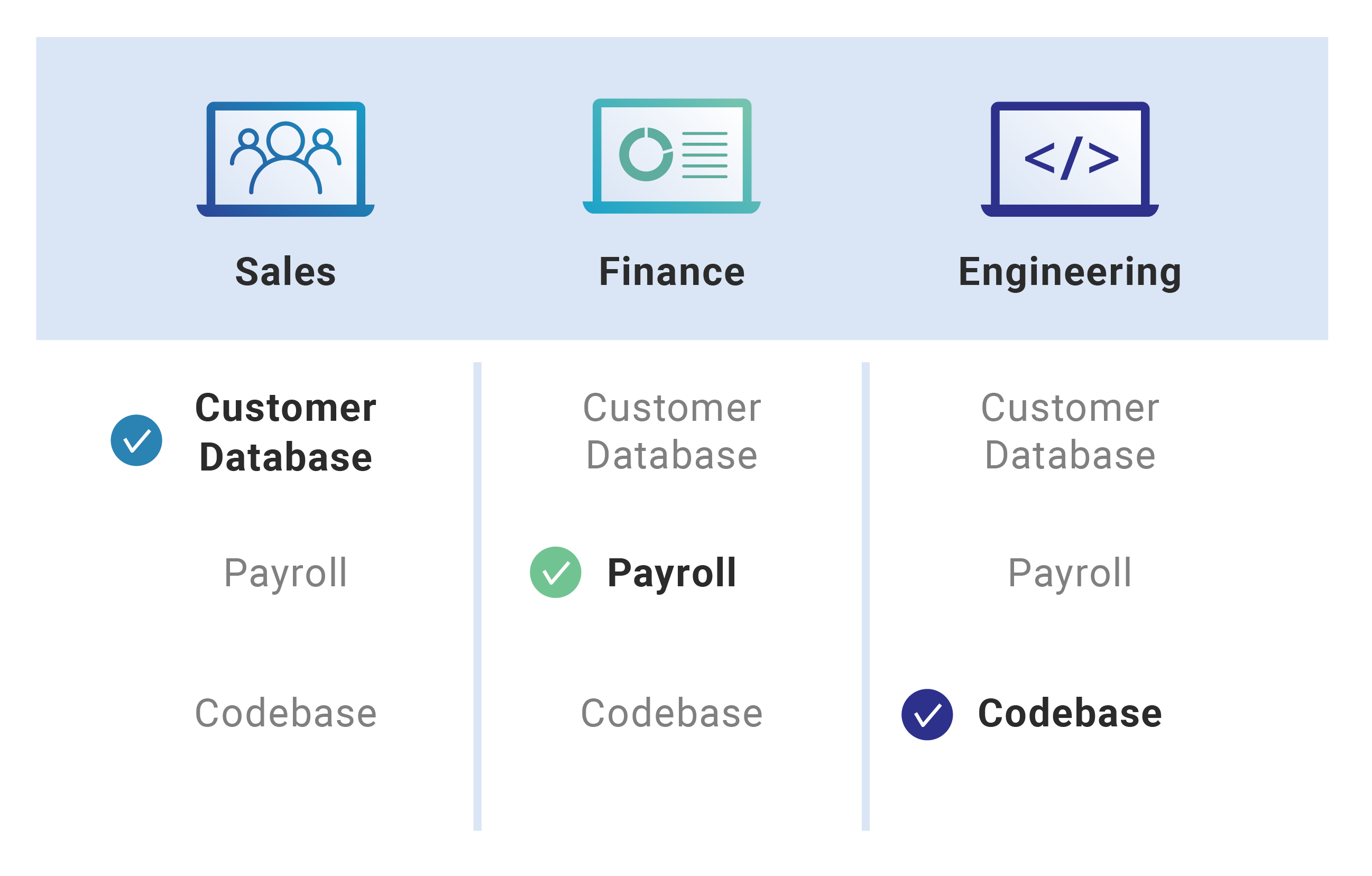
Think of a house where several people live. Each resident gets a copy of the key that opens the front door: they do not receive differently designed keys that all open the front door. If they need to access another part of the property, such as the storage shed in the backyard, they may receive a second key. No residents receive a unique key for the shed, or a special key that opens both the shed and the front door.
In RBAC, the roles are static, like the keys to the house in the example above. They are the same for whoever has them, and anyone who needs more access gets assigned an additional role (or a second key), instead of getting customized permissions.
Theoretically, this role-based approach to access control makes it relatively simple to manage user permissions, since permissions are not tailored to individual users. However, in large enterprises with many roles and many applications, RBAC sometimes becomes complex and hard to track, and users may end up with more permissions than they need as a result.
What is access control?
In cyber security, access control refers to tools for restricting and controlling what users are able to do and what data they are able to see. Entering a passcode to unlock a smartphone is one basic example of access control: only someone who knows the passcode is able to access the files and applications on the phone.
What is a role?
One's position in a company may be referred to as a "role." But a role has a more technical definition in RBAC: it is a clearly defined set of abilities, or permissions, for use within company systems. Each internal user has at least one role assigned to them, and some may have multiple roles.
Roles are generic and are not tailored to any one employee within an organization. For example, a salesperson would not receive permissions set up specifically for their user account. Instead, they would be assigned the "salesperson" role and all accompanying permissions, such as the ability to view and edit the customer account database. Other salespeople on the team would be assigned the same role. If a specific salesperson needed expanded permissions, they would be assigned an additional role.
This approach does make adding or removing a user relatively simple — instead of editing permissions for individual users, an administrator can simply change their role.
What is a user permission?
In the context of access control, a permission is the ability to perform an action. One example could be the ability to upload a file to a company database. A trusted user — say, an internal employee — will have permission to upload files, while an external contractor may not have this ability. In RBAC, every possible role comes with a set of permissions.
What is attribute-based access control (ABAC)?
Attribute-based access control, or ABAC, is an alternative method for controlling access within an organization. ABAC is somewhat similar to RBAC but goes more granular: permissions in ABAC are based upon user attributes, not user roles. Attributes can be almost anything: specific characteristics of the user (e.g. job title or security clearance), attributes of the action being performed, or even "real-world" properties, such as the current time of day or the physical location of the data being accessed.
RBAC vs. ABAC
Both RBAC and ABAC take into account characteristics of the user. However, ABAC can take a greater amount of context into account, such as the action being performed and properties of the data or system the user is accessing, while RBAC only takes the user's role(s) into account. This makes ABAC more dynamic than RBAC, but also more complex to manage effectively.
What is rule-based access control?
Role-based access control is not the same thing as rule-based access control. Rule-based access control is built upon a set of rules, while role-based access control is based on the user. A rule-based controller will block certain actions, such as a port, an IP address, or a type of data input, no matter where the request comes from. Firewalls are often used to implement rule-based access control.
How does Cloudflare help businesses enforce access control policies?
Cloudflare Zero Trust empowers businesses to secure, authenticate, monitor, and allow or deny user access to any domain, application, or path on Cloudflare. Cloudflare Zero Trust quickly applies application-level user permissions to a business's internal resources, and it also keeps a log of all resources that users access.
FAQs
What is role-based access control (RBAC)?
RBAC is a security strategy used to manage what users can do within an organization’s digital environment. Instead of assigning unique permissions to every person, an organization assigns one or more "roles" to each user. Each of these roles comes with a pre-defined set of permissions.
How does a "role" function within an RBAC system?
A role is a standardized collection of permissions or abilities that apply to any user assigned to it. For example, an "account manager" role might include the ability to view and modify a customer database. These roles are not customized for specific individuals; rather, if a team member needs more access, they are assigned a secondary role that includes those additional permissions.
What are the primary benefits of using RBAC?
RBAC simplifies the process of managing user permissions because administrators do not have to tailor access for every employee. It is particularly helpful when adding or removing users, as an administrator can quickly grant or revoke access by changing a user's role rather than editing individual account settings.
What challenges are associated with RBAC?
The role-based model can become difficult to track in large organizations with many different roles and applications. This complexity can lead to a situation where users accidentally end up with more permissions than they need to perform their jobs.
What is the difference between RBAC and attribute-based access control (ABAC)?
While RBAC only considers a user's assigned role, ABAC can base permissions on specific user traits (like security clearance), the nature of the action being taken, or real-world context like the time of day and physical location.
How does rule-based access control differ from role-based access control?
The main difference is the focus of the restriction. RBAC is centered on the identity and role of the user, whereas rule-based access control is centered on specific technical constraints. For instance, a rule-based controller might block all traffic to a specific port regardless of which user is making the request.
What is a "permission" in the context of access management?
A permission is the specific authorization to perform a task, such as downloading a file from a company server. In an RBAC system, these permissions are bundled together into roles. For example, a trusted internal employee might have a role that allows file downloads, whereas a role assigned to an outside party might not.
How does Cloudflare support organizations in managing access control?
Cloudflare Zero Trust provides tools for businesses to secure and monitor user access to any application or path. This allows companies to quickly set application-level permissions and maintain detailed logs of all resources accessed by users, helping to ensure that security policies are strictly followed.